
Why a normal Elementor page is not enough
A BuddyPress URL changes according to the member, group and sub-navigation being viewed. The same member profile template may render an activity stream, friends, messages, notifications or settings. A group screen may show public content to one visitor and management controls to an authorized group administrator.
Dropping a static member list onto a normal page solves only one display case. Complete customization needs three parts: route resolution, widgets that understand the current BuddyPress context, and permission-checked actions for posting activity, replying to messages, changing account data and managing groups.
Four-step workflow
Build the presentation layer without replacing BuddyPress
Keep BuddyPress active
BuddyPress should remain responsible for members, profiles, groups, activity, messages, notifications and permissions. The builder layer should render that data, not duplicate it.
Create an Elementor template
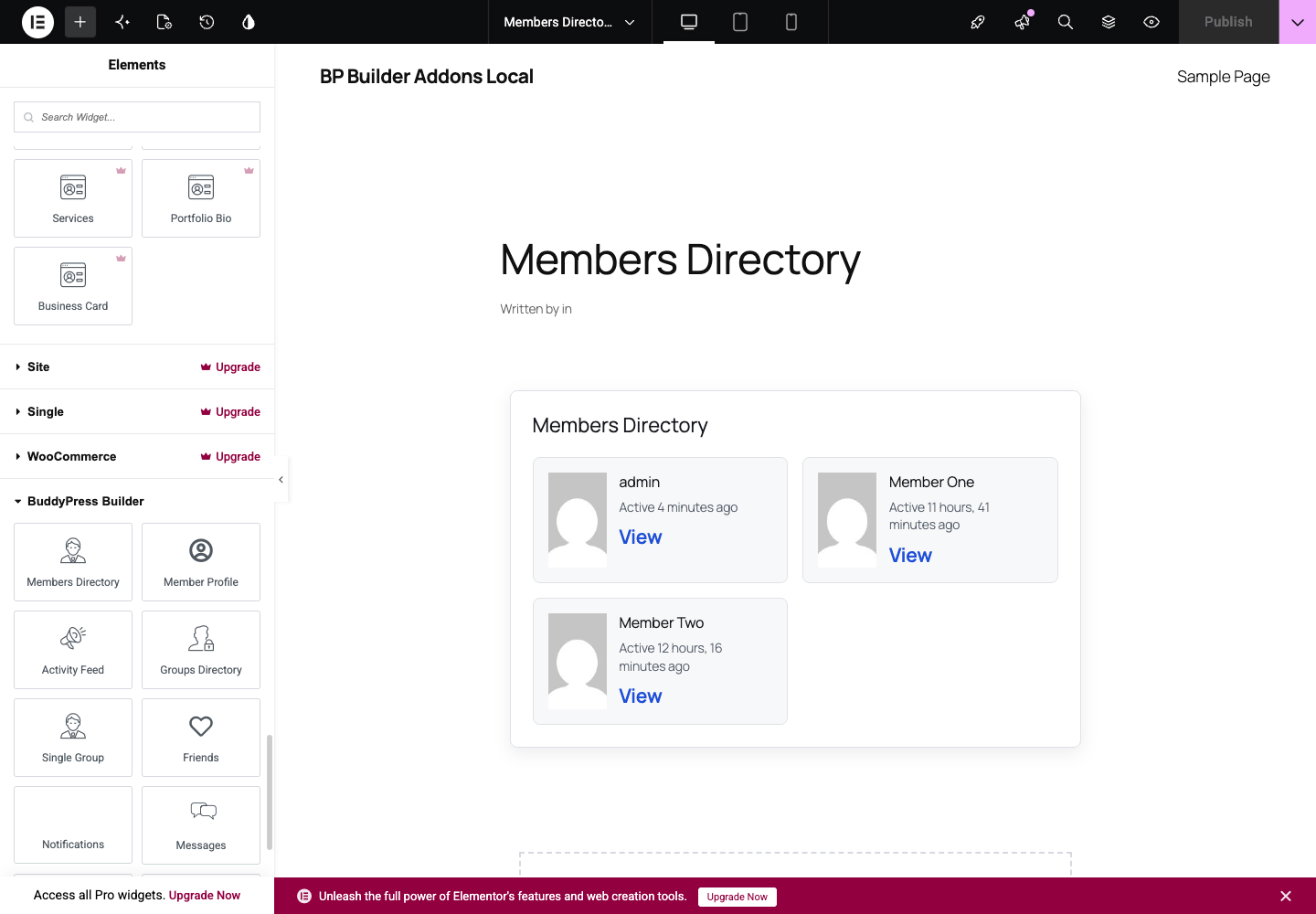
Create a BP Builder Addons template and open it in Elementor. Add the widget that matches the current community context, then compose the surrounding layout with normal Elementor controls.
Map the BuddyPress route
Assign the published template to a BuddyPress route such as the members directory, member profile, group page, activity directory, registration or account settings.
Test permissions and states
Check the screen as a visitor, member, group member and administrator. Empty states, private messages, group controls and account actions must follow BuddyPress permissions in every layout.
Plan every community route before styling
Start with an inventory of the experience rather than one attractive profile screen. BP Builder Addons maps 16 route types and supplies 94 focused widgets so the same visual system can cover public discovery, authenticated member work and group administration.
- Discovery
- Members directory, groups directory and site-wide activity
- Member experience
- Member profile, activity, friends, messages, notifications and account settings
- Group experience
- Group profile, activity, members, creation and management
- Access
- Registration, activation and sign-in
Preserve native permissions and mutations
Community screens expose sensitive operations. Message threads must verify membership. Notification updates must verify ownership. Account email and password changes need the current password. Group management must follow BuddyPress capabilities. Registration needs spam controls and secure activation.
BP Builder Addons sends these actions through nonce-protected WordPress REST endpoints and BuddyPress APIs. The optional realtime companion only announces targeted changes; ordinary REST requests keep working if realtime delivery is unavailable. This keeps the interface responsive without making a separate service the source of truth.
Keep licensing and updates away from page rendering
A commercial plugin should not contact its license server on every page view. BP Builder Addons validates a signed entitlement during activation and WordPress update checks, then caches the result locally. Front-end requests read local state. Private update metadata is requested only when WordPress performs its normal plugin update cycle.
That design protects customer sites from unnecessary network latency while keeping releases available through the standard WordPress Plugins screen.
BuddyPress and Elementor questions
Can Elementor edit BuddyPress pages directly?
BuddyPress routes are dynamic application screens rather than ordinary static pages. A route-aware builder plugin is needed to render an Elementor template in the correct member, group, directory or account context.
Do I need Elementor Pro for BuddyPress templates?
No. BP Builder Addons works with the free Elementor plugin. Elementor Pro can still be used for other site features, but it is not required for the BuddyPress widgets or route mappings.
Will changing the template delete BuddyPress data?
No. Templates control presentation. Member fields, groups, friendships, messages, activity and notifications remain in BuddyPress APIs and database tables.
Can the same widgets be used outside Elementor?
Yes. The 14 BP Builder Addons widgets are also registered as shortcodes, so they can be placed in WordPress shortcode blocks and page builders that support shortcodes.